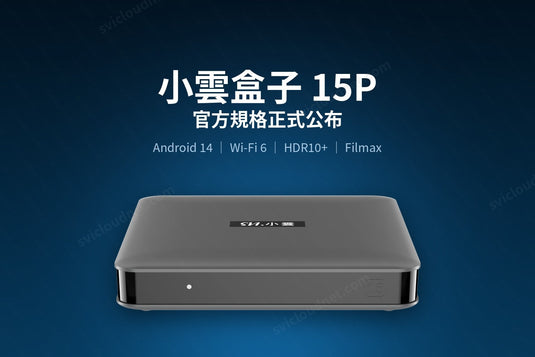
15P 機背同時提供 HDMI 2.1 與光纖 S/PDIF 兩種音訊輸出。應該用哪一個?本文說明兩者的實際分別,以及不同器材該如何接駁。
The 15P offers both HDMI 2.1 and optical S/PDIF audio out. Which should you use, and how should you wire it?
兩種輸出的分別 / The Practical Difference
HDMI 頻寬遠高於光纖,是唯一能傳送 Dolby TrueHD、DTS-HD Master Audio 等無損多聲道音訊的接口。
光纖 S/PDIF 的頻寬有上限,只能傳送 Dolby Digital、DTS 5.1 這類壓縮多聲道格式,以及雙聲道 PCM。它的優點是與較舊的擴音機相容,而且電氣隔離、不會產生接地迴路雜訊。
HDMI carries lossless formats such as TrueHD and DTS-HD MA. Optical is bandwidth-limited to compressed 5.1 and stereo PCM, but it is electrically isolated and works with older amplifiers.
三種常見接駁方式 / Three Common Setups
1. 只有電視 / TV only
15P → HDMI → 電視。最簡單,音訊由電視喇叭輸出。
2. 有擴音機(建議)/ With an AV receiver — recommended
15P → HDMI → 擴音機 → HDMI → 電視。這樣擴音機能取得完整的多聲道音訊,畫面再傳送到電視。這是音質最好的接法。
Route the 15P into the receiver, then the receiver to the TV. The receiver gets full multichannel audio and passes video through.
3. 舊擴音機或音響 / Older amplifier or soundbar
15P → HDMI → 電視(畫面),同時 15P → 光纖 → 擴音機(聲音)。適合沒有 HDMI 輸入的舊器材。
沒有聲音?先檢查這幾項 / No Sound? Check These
- 在 15P 的系統設定中確認音訊輸出模式 —— 若擴音機不支援某格式,選擇自動或 PCM
- 使用光纖時,確認擴音機已切換到對應的光纖輸入
- 播放藍光原盤時若沒有聲音,多數是音軌格式不支援 —— 在 Filmax 中使用音頻降級把 TrueHD/DTS-HD 降混成 AC3/DTS
- 音畫不同步可用 Filmax 的音頻偏移修正
- HDMI 線建議使用支援高頻寬的版本,特別是 4K HDR 內容
HDMI CEC:一支遙控器控制兩件器材 / HDMI CEC
15P 支援 HDMI CEC,開啟後可用電視遙控器直接操作電視盒,開啟電視盒時電視亦會自動切換到對應的 HDMI 輸入。不同品牌對 CEC 的命名不一(Samsung Anynet+、LG SimpLink、Sony BRAVIA Sync),需在電視設定中開啟。
With CEC enabled, your TV remote can drive the box and the TV auto-switches input. Manufacturers name it differently — Anynet+, SimpLink, BRAVIA Sync.
需要換擴音機嗎?/ Do You Need a New Receiver?
不一定。15P 的影片解碼上限是 4K@60fps,並非 8K,因此不需要為了 15P 而升級到 8K 擴音機。現有支援 4K HDR 直通的擴音機已經足夠。
Probably not. The 15P tops out at 4K@60fps, so an 8K-capable receiver buys you nothing here.
有畫面但沒有聲音?/ Picture but No Sound?
如果接駁後有畫面卻沒有聲音,通常是影片的音頻格式(例如藍光原盤的 TrueHD 或 DTS-HD)超出電視或擴音機能解碼的範圍,而不是接線問題。
15P 內建的 Filmax 播放器設有音頻降級,會自動把音頻轉成能正常播放的格式;若聲畫不同步,可用音頻偏移微調。詳細步驟見 問題排解。
If you get picture but no sound, the cause is usually an audio format your TV or receiver cannot decode — TrueHD or DTS-HD from a Blu-ray source, for example — rather than the cable. Filmax's audio downmix converts it automatically, and the audio-offset control fixes lip-sync drift.
延伸閱讀 / Related Reading
支援與教學 / Support & Guides
- 查詢訂單 — Track Your Order(輸入訂單編號即可查看物流狀態 / live carrier status)
- 小雲盒子完整安裝教學 — Complete Setup Guide
- 問題排解 — Troubleshooting
- 產品常見問題 — Product FAQs
- 售後服務與保固 — After-Sales & Warranty